



The Lincoln Navigator offers advanced safety and convenience technologies to enhance every drive around Ocala and beyond. Among these features is Adaptive Cruise Control (ACC), a system that maintains your set speed and adjusts it automatically to keep a safe distance from the vehicle in front of you. ACC reduces the need for constant manual adjustments, whether you are on a long road trip or navigating heavy traffic on busy Florida highways. However, like any advanced system, it may occasionally require recalibration or troubleshooting. This guide provides a detailed walkthrough on recalibrating the adaptive cruise control system in your Lincoln Navigator and troubleshooting common issues that might arise, so you can drive with confidence when you visit Gary Yeomans Lincoln Ocala.
What Is Adaptive Cruise Control on a Lincoln Navigator?
Adaptive Cruise Control (ACC) is a sophisticated driver-assistance feature that builds upon traditional cruise control by using radar and cameras to monitor the road ahead. Unlike standard cruise control, which maintains a fixed speed, ACC automatically adjusts the vehicle’s speed based on the flow of traffic. For example, if the system detects a slower-moving vehicle in front, it will reduce your speed to maintain a safe following distance, and when traffic clears, it will accelerate back to your preset speed.
This technology not only enhances comfort, especially on highways, but also improves safety by helping to reduce the risk of collisions. In the Lincoln Navigator, this system is particularly beneficial for long-distance travelers and daily commuters, allowing for a more relaxed and controlled driving experience.
How Does Adaptive Cruise Control Work on a Lincoln Navigator?
The Lincoln Navigator features a cutting-edge adaptive cruise control system that uses radar sensors, front-facing cameras, and the vehicle’s onboard computer to adjust your speed automatically. The system works by maintaining a safe distance between your Navigator and the vehicle ahead by automatically slowing down or speeding up in response to changes in traffic.
-
Radar Sensors: Located in the front grille, these sensors detect objects and vehicles in the Lincoln Navigator’s path so the system can react in real time.
-
Cameras: Mounted near the rearview mirror, these cameras help track lane markers and other vehicles to support smooth and accurate adjustments.
-
Computer System: The onboard computer processes data from the radar and cameras to adjust speed and distance accordingly, helping your Navigator respond naturally to traffic.
By constantly monitoring your surroundings, the adaptive cruise control system helps reduce the need for manual speed adjustments and improves overall driving efficiency. Book your test drive today at Gary Yeomans Lincoln Ocala and experience Lincoln Navigator adaptive cruise control firsthand.
How Is Adaptive Cruise Control Different from Regular Cruise Control?
One of the key advantages of adaptive cruise control over traditional cruise control is its ability to adjust the vehicle’s speed automatically for you. Here’s a quick comparison to make it easy:
-
Traditional Cruise Control: Maintains a constant speed regardless of traffic conditions. It requires manual adjustments any time you encounter slower vehicles or changes in the road ahead.
-
Adaptive Cruise Control: Uses radar and cameras to monitor traffic and adjust the vehicle’s speed automatically. It can speed up, slow down, and even bring the car to a stop if needed, making it a more dynamic and convenient option for long-distance travel or busy highways around Ocala and Central Florida.
This difference makes adaptive cruise control a much more advanced and helpful system, particularly for high-end vehicles like the Lincoln Navigator, where driver convenience and safety are top priorities. Browse our latest Lincoln Navigator models at Gary Yeomans Lincoln Ocala to find the perfect luxury SUV for you.
What Are Common Adaptive Cruise Control Problems on a Lincoln Navigator?
While adaptive cruise control is an excellent feature, it can sometimes run into issues like any technology. If you notice any of the following problems, it may be time to recalibrate the system or have it checked by an expert at Gary Yeomans Lincoln Ocala.
-
Unresponsive System: The system doesn’t respond when you press the cruise control buttons or fails to turn on.
-
Erratic Speed Adjustments: The system changes speed unpredictably or does not maintain a consistent distance from the vehicle ahead.
-
Inaccurate Braking or Acceleration: The car may brake or accelerate too suddenly, or fail to adjust its speed when traffic slows or clears, which can feel uncomfortable or unsafe.
-
Warning Lights: A “Cruise Control Unavailable” message or a warning light on your dashboard could indicate that the system needs recalibration or has encountered a malfunction.
Recalibrating or resetting the adaptive cruise control system can often resolve these problems. However, if the issue persists, a professional inspection may be required to keep your Lincoln Navigator performing at its best.
How Do You Turn Adaptive Cruise Control On and Off?
Using the adaptive cruise control system in your Lincoln Navigator is straightforward once you know the basic steps. Follow this simple guide:
-
Turning On ACC:
-
Press the “ON” button on your steering wheel to activate the system.
-
Once the system is active, press the “SET” button to choose your desired speed. You’ll also need to adjust the following distance (near, medium, or far) using the “Distance” button so the Navigator knows how closely to follow.
-
To activate the adaptive feature, make sure the ACC icon on the dashboard is illuminated.
-
-
Turning Off ACC:
-
To deactivate the system, press the “CANCEL” button on your steering wheel or gently press the brake pedal. This will disengage the adaptive cruise control and return full speed control to you.
-
The ACC system also has an automatic off function when the vehicle is turned off or when the car’s speed drops below a certain threshold (for example, under 20 mph). Keeping your Navigator in top condition with genuine parts and expert service helps this system perform smoothly. Schedule a service appointment today at Gary Yeomans Lincoln Ocala!
How Do You Recalibrate Adaptive Cruise Control on a Lincoln Navigator?
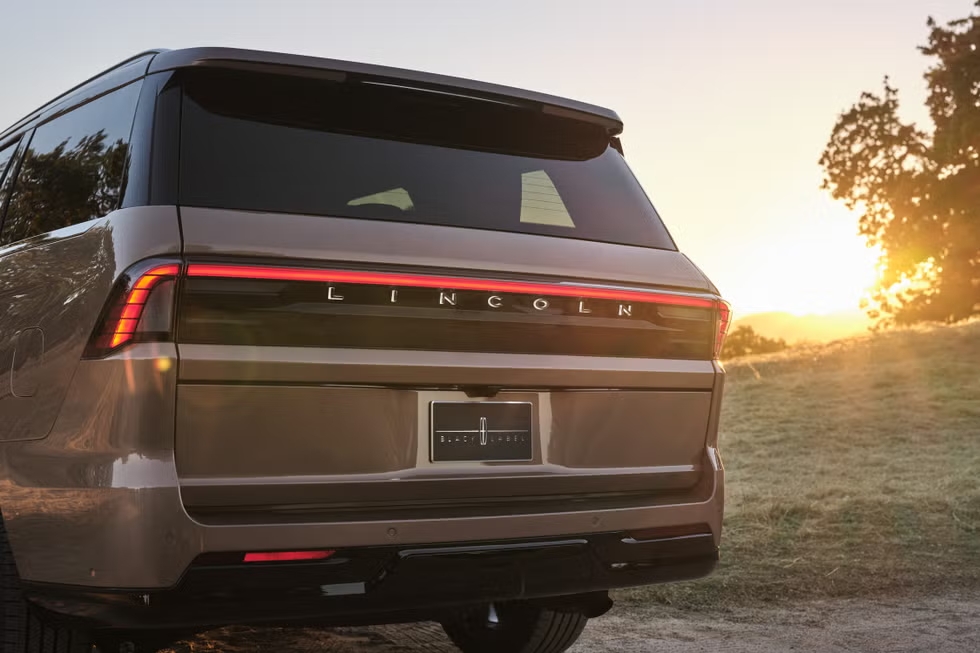
Recalibration might be needed if your Lincoln Navigator’s adaptive cruise control is malfunctioning or acting inconsistently. Use these steps to recalibrate:
-
Check the Sensors
Ensure that the front-facing sensors are clean and unobstructed. Dirt, ice, bugs, or snow on the sensors can cause inaccurate readings and lead to system failure or warning messages.
-
Recalibrate via the Settings Menu:
-
On the dashboard or touchscreen display, navigate to the Settings menu.
-
Select Driver Assistance and then choose Adaptive Cruise Control from the list.
-
Follow the on-screen instructions to recalibrate the system, making sure your Navigator is parked on a level surface during the process.
-
-
Manual Reset:
-
Turn off the vehicle, wait a few minutes, restart the engine, and then try activating the system again. This simple reset can clear minor glitches.
-
If recalibration doesn’t fix the issue, a visit to Gary Yeomans Lincoln Ocala is recommended for a professional checkup and factory-trained diagnostics.
How Do You Fix Adaptive Cruise Control Sensor Issues?
ACC issues often stem from sensor malfunctions or obstructions. Here are a few easy ways you can address them at home before scheduling service:
-
Clean the Sensors: Over time, dirt or debris can block the sensors, causing the system to misread distances. Regular cleaning of the radar sensors with a soft cloth can help keep the system functioning properly.
-
Check for Misalignment: The system will not function correctly if the sensors or cameras are misaligned. In some cases, a technician needs to realign them, especially after a minor collision or bumper repair.
If cleaning and alignment don’t resolve the issue, visiting the service center at Gary Yeomans Lincoln Ocala for further diagnostics is a smart idea.
How Do You Maintain Adaptive Cruise Control on Your Lincoln Navigator?
To ensure your adaptive cruise control system remains in top condition, keep these simple maintenance tips in mind:
-
Clean the Radar and Cameras: Periodically clean the radar sensors and cameras to ensure they’re not obstructed by dirt, road grime, or weather buildup.
-
Check Alignment: Have the alignment of the sensors and cameras checked regularly, especially after accidents, pothole impacts, or major service work on the front end.
-
Use the System Regularly: Even if you don’t use it every day, periodically engage the ACC system to ensure it’s working properly and to stay familiar with its controls.
A well-maintained system helps keep your Lincoln Navigator functioning at its best and ensures that your trips remain as safe, smooth, and convenient as possible on every drive from Ocala.
When Should You Get Help for Adaptive Cruise Control Problems?
If you can’t resolve issues with your adaptive cruise control system using the steps above, it’s time to seek help from a professional. Common issues may involve sensor malfunctions, electrical problems, or software glitches that require expert diagnosis and repair. Visit Gary Yeomans Lincoln Ocala for comprehensive inspections and service from factory-trained technicians. Looking for a greener option? Check out our hybrid vehicles and enjoy the blend of efficiency, luxury, and advanced technology.
Ready to Get the Most from Your Lincoln Navigator’s Adaptive Cruise Control?
The adaptive cruise control system in your Lincoln Navigator is an
indispensable feature for a smooth and comfortable driving experience.
Whether you are cruising on the highway or navigating through heavy traffic, ACC
adds an extra layer of convenience and confidence. Regular maintenance, recalibration,
and timely sensor checks will keep the system working at its peak. If you
experience persistent issues, don’t hesitate to contact Gary Yeomans Lincoln
Ocala for expert assistance, test drives, and service support. Get pre-approved today
and explore your financing options for your new Lincoln Navigator in Ocala.
Connect with us

